
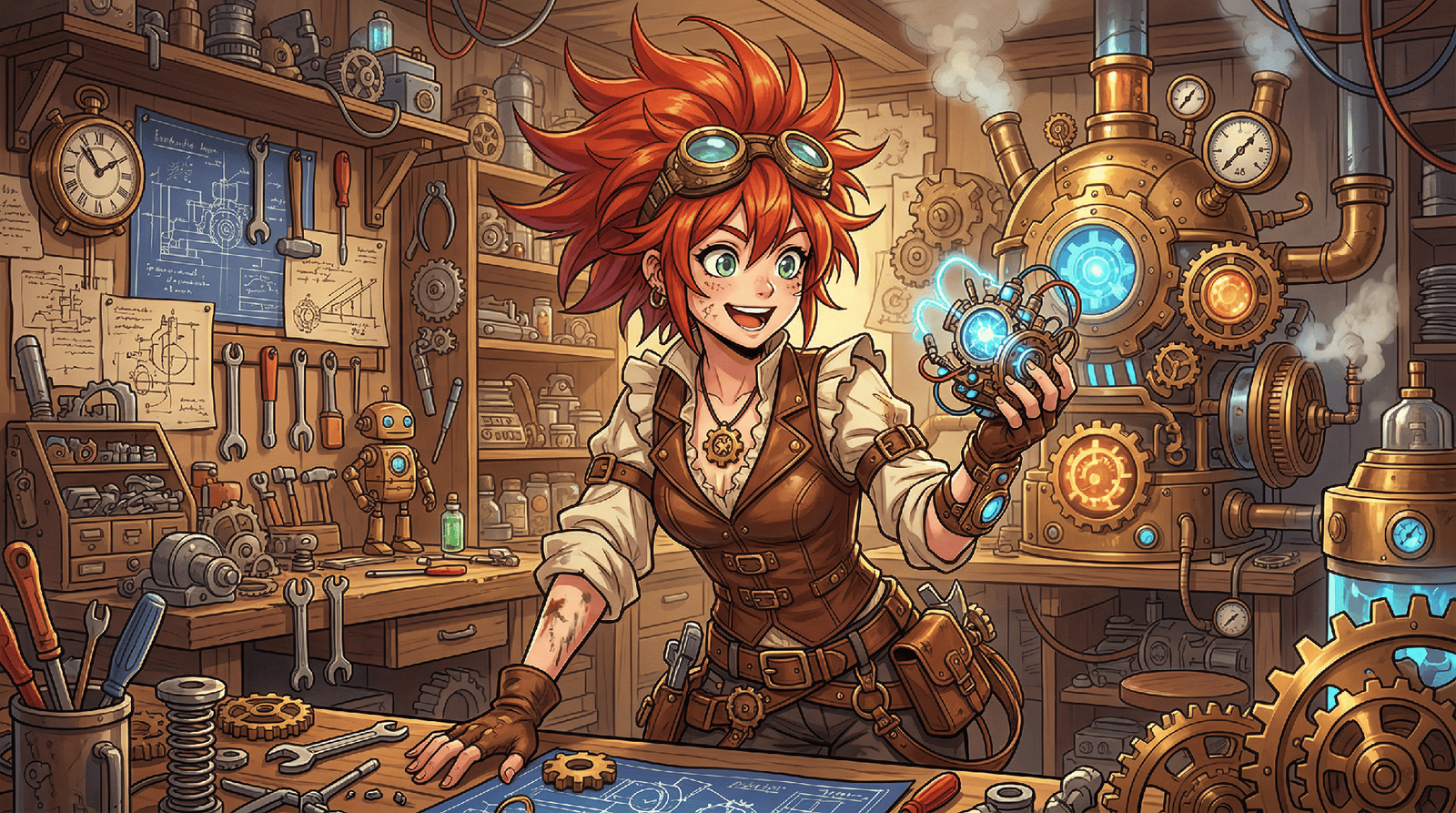
Anime art is still captivating artists, storytellers, designers and hobbyists in many creative industries. Different visual styles enable each project to create its own identity and emotional appeal. Framia Pro combines several anime styles in a single creative space, enabling creators to mold ideas with sophisticated image-generating models. Creators can deviate from a single artistic process and experiment with diverse visual renditions, ensuring quality while further developing ideas with versatile editing features.
Understanding the Diversity of Anime Art Styles
Anime offers a myriad of artistic directions, each producing a different emotional experience. The soft fantasy scenes offer warmth, and the futuristic settings convey speed and technological progress. It helps to match the style and enhance storytelling, character presentation and audience engagement. Framia Pro caters to this creative flexibility, enabling creators to experiment with various visual interpretations of comparable ideas without having to create the illustrations by hand. Prompt-based generation expedites experimentation and retains critical character information, enabling creators to explore various artistic angles before choosing the most promising path for their work.
Popular Anime Styles Available in Framia Pro
Framia Pro has a variety of anime styles for illustrations, social posts, storytelling and creative branding. Painterly backgrounds, lush landscapes, and gentle lighting accompany fantasy narratives in the Studio Ghibli-inspired scenes. Cyberpunk designs feature neon lighting, futuristic fashion, and glowing cityscapes. Chibi artwork styles characters into fun figures, exaggerated emotions, and streamlined dimensions. For more grown-up storytelling, realistic anime portraits with detailed facial features and cinematic shading are ideal. Comics / sequential art style is highlighted with bold monochrome linework, while Disney-inspired anime style brings expressive characters to magical settings for fairy-tale scenes. Generative art can also serve as the starting point for AI picture to video pipelines, transforming static images into dynamic visual experiences while ensuring stylistic coherence.
Steps to Unlock Limitless Anime Styles with AI Anime Generator
Step 1: Choose the right model for your anime style
- First, you need to sign up for Framia Pro. Next, go to the “Home” tab present in the left vertical menu bar.
- Later, click on “Design” from the drop-down menu option present in the bottom-left corner of the dialogue box.
- Next, select the model that matches the anime style you want to explore.
- Under the “Select models” menu, choose the “Image” option.
- You can choose from “Seedream”, “GPT”, “Nanobanana”, “Flux Max”, or “Qwen”.
Step 2: Upload an image and define your preferred style
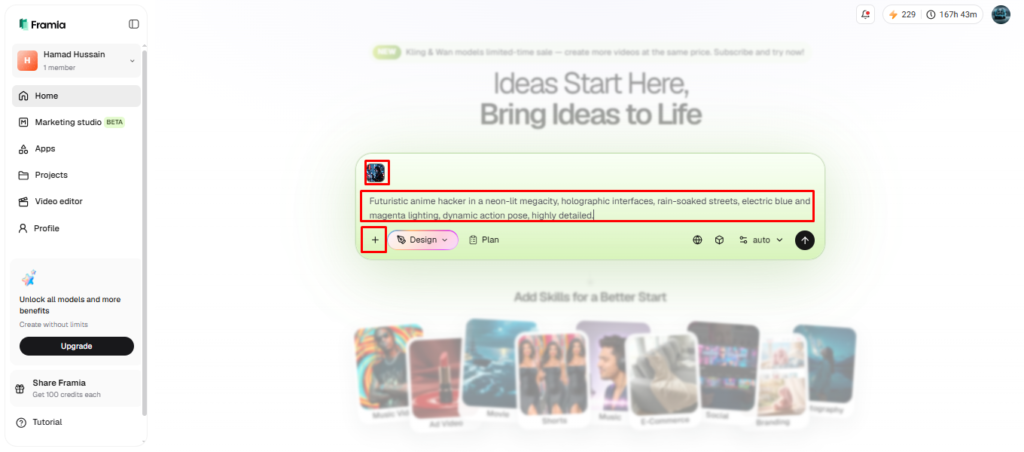
- Click the “+” tab and upload a photo from your device as a reference.
- Enter a text prompt in the dialogue box. Clearly explain the anime style and appearance you want for the final image.
- Select the aspect ratio from the “Settings” tab.
- Click the “Generate” tab to begin photo-to-video creation.
Step 3: Fine-tune the style or download the result
- Check the generated image in “Preview”. If adjustments are needed, continue editing in the storyboard or through chat.
- Improve the output using “Quick Edit”, “Regenerate image”, or “AI Erase”.
- After everything looks right, click the “Download” tab present on the menu below the video to save the file to your local device.
How AI Adapts One Concept into Multiple Anime Styles
With modern image generation technology, a single character concept can be seamlessly integrated into various anime styles without having to recreate the character images. Facial proportions, clothing, hairstyles and recognizable visual characteristics are constant, while rendering techniques, textures, color palettes and lighting change with each choice of style. Framia Pro lyric video generator makes it easier to compare by letting creators efficiently view multiple artistic directions. This flexible workflow allows for experimentation, whether or not to restart any design, and ensures continuity while exploring vastly different visual identities.
Tips for Choosing the Right Anime Style
The choice of artistic style will vary based on the project’s objectives, emotional impact, and narrative direction. Here are some recommendations for matching creative ideas with the appropriate visual style and to make better use of an anime generator.
- Fantasy adventures: Select magical settings for heroes, magical creatures and magical landscapes.
- Science fiction themes: Choose visuals that include futuristic technology, neon lights and vibrant cityscapes.
- Cute Social Content: Avatars, stickers and fun illustrations using chibi characters with playful expressions.
- Emotional Storytelling: Like anime with realistic shading and expressive facial details for dramatic stories.
- Manga style line art: Select manga style line art in monochrome style for sequential narration and illustrated stories.
- Fairy-tale concepts: Combine anime style with Disney-like magic for fantasy settings and characters with strong emotions.
Enhancing Anime Style Results Through Better Prompts
Quality prompts ensure a consistent and precise visual presentation, enhancing the artistic precision of various anime styles. Mixing descriptive style keywords with character traits results in more powerful creative direction. Scene composition and narrative context are enhanced with environmental details such as forests, futuristic skylines, traditional villages, or cafés. The lighting and atmosphere are naturally led by mood descriptions like peaceful, mysterious, adventurous or dramatic. The texture references, whether for fabrics, hair, metallic surfaces, water reflections or foliage, add a layer of richness. Small prompt refinements over several iterations make for gradual improvements in composition, facial expressions, color harmony and overall art quality, without having to redesign completely.
Expanding Creativity Beyond Static Images
When anime drawings are brought to life, it’s even more captivating. Framia Pro offers a range of tools for creating image-based animating workflows that bring your illustrations to life for use in trailers, promotional materials, and social media. New features such as Seedance 2.0 and Kling 3.0 add fluid motion, camera transitions, and expressive animation, without negatively impacting character appearance from frame to frame. A uniform look is particularly important for serial narratives, recurring characters, and promotional efforts that need consistent graphics to be used in various animated shots.
Connecting Creative Processes for Faster Marketing Production
Framia Pro Canvas provides a smart workflow for marketing production, centered around connected creative agents. Rather than having to deal with multiple apps, creators enter a campaign goal in natural language, and the platform does the rest to set up coordinated production steps. Integrated creative models are used to develop copywriting, promotional graphics, banners, social visuals and mobile content. The workflow then expands to full video production with generated narration, background music, visual sequences and editing tools before all of these elements are put together into a finished downloadable project from a single creative environment.
Conclusion
Several styles of anime will give you different creative possibilities without having to get proficient at drawing anime. Framia Pro is a comprehensive tool that integrates a variety of artistic styles, intuitive editing tools, uniform character creation, and a streamlined prompt-driven editing process. Comparing styles, fine-tuning visuals and bringing artwork to life in moving media is useful for a wide range of creative endeavors in entertainment, marketing and personal expression. The exploration of various stylistic directions can uncover the best visual expression to convey each individual story or idea.
